
Home / Church Livestreaming / Operator Path
Operator Path · Lesson 4 of 15
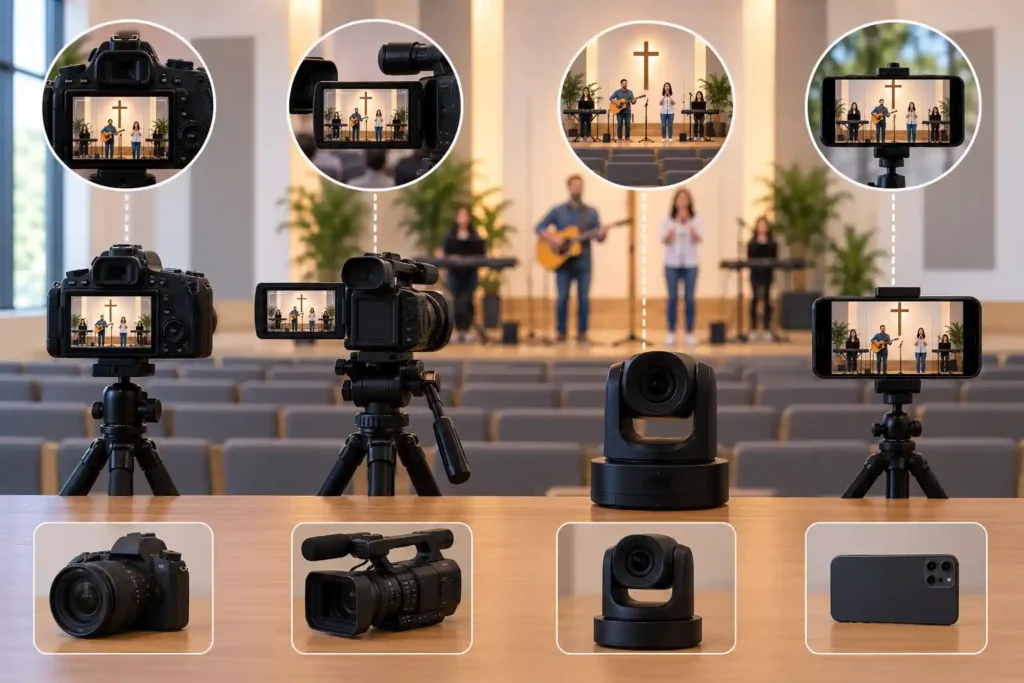
When a church starts looking for its first streaming camera, the options quickly feel overwhelming. Store shelves and online product pages list dozens of models, and every spec sheet is full of numbers, most of which say nothing relevant to this particular use. Fortunately, the choice doesn’t have to be a guess. Seven criteria are enough to separate a camera that will hold up to years of Sunday use from one that looks good in the sales copy but fails within the first month.
Continuous power supply
The main camera runs for the entire stream, often an hour or two at a stretch, every week. This rules out any solution relying on a battery as its only power source. A battery will eventually run out mid-stream, and there’s no way to predict exactly when — it could land mid-sermon just as easily as at the start of worship. The main camera needs to run continuously on mains power, without anyone having to watch a battery indicator during the stream.
This connects to an idea running through the whole course: decisions made during a stream should be kept as low as possible. Continuous power isn’t a convenience — it removes one more thing the operator would otherwise have to track for the entire stream.
A reliable video output
The picture needs to leave the camera in a way the computer recognizes reliably. In practice this means an HDMI connection — the video cabling standard common on cameras — carrying the picture directly to a capture device connected to the computer. Some cameras only offer video through an app or a wireless connection; such solutions are less stable at exactly the moment stability matters most, since they depend on a wireless network’s health and an app working correctly. A fixed, cabled video output is the recommended starting point here for the same reason as the rest of the cabling: it works the same way every time.
Sufficient optical zoom
The main camera needs to reach close enough to the speaker even though it’s positioned far from the stage. This capability is called optical zoom, and it’s one of the most commonly misunderstood specs on a camera — a sales-copy figure of “20x” alone doesn’t tell you whether a camera is enough for your particular room. The exact calculation, with an example table for different distances, is covered in the next article. For now, it’s enough to know optical zoom is one of the seven criteria that has to be checked separately — it can’t be guessed from a camera’s looks or price.
Suitability for a fixed installation
The main camera is usually installed permanently in one place, on a mount or stand, not moved around week to week. This means it needs to keep working without constant handling: it shouldn’t drop into power-saving mode after a few minutes of inactivity, or need its touchscreen woken periodically. Many consumer cameras, and phones especially, are designed for the opposite use — short, actively handheld shooting moments — not long, unattended operation in a fixed position.
Ease of use for a volunteer
The camera is typically operated by a volunteer, not a technical professional, and the person using it may change week to week. This favors a camera whose basic functions — power on, check the picture, manual focus if needed — are reachable without digging through a complicated menu. A camera where every setting takes several presses deep into a menu is a risk: in a hurry, a wrong press can change a setting mid-stream, unnoticed until a viewer mentions it afterward.
Micro-example: A new volunteer notices, just before the stream starts, that the camera has accidentally switched to a different shooting mode. The menu is unfamiliar, and the right setting can’t be found quickly. The stream begins with the wrong color temperature, and the mistake isn’t fixed until ten minutes in. A simpler interface wouldn’t have prevented the mistake entirely, but it would have made correcting it considerably faster.
Why a phone isn't suitable as the main camera
A phone is a tempting idea for a first camera, since it’s already on hand and familiar to use. But it fails several of the criteria above at once, not just one. Its battery can’t last a whole stream without staying plugged in, making it unreliable as a power source. Its video output to a computer isn’t designed for continuous, dependable use the way a camera’s HDMI connection is. Its optical zoom falls far short of what a medium shot at 20 metres requires — covered in more detail in the next article. On top of that, a phone is designed to be handheld and actively used, not mounted permanently in the same position week after week: calls, notifications, and software updates can interrupt filming at exactly the wrong moment. A phone can still be a good solution for secondary or temporary use, but not as the main camera in this course.
Why a practical, on-site test is mandatory
A camera’s spec sheet states the manufacturer’s claimed value, not always how the camera performs in your specific room. The stated optical reach may have been measured in a way that doesn’t match real-world use, and image stabilization that works well for a close shot can turn out sensitive at a long zoom. For this reason, a practical, on-site test before purchase is not an optional extra here but a mandatory step: the camera is brought or borrowed for a trial in your own space, filmed from the actual distance and angle, and the result checked on an actual screen before any money is spent.
Micro-example: A church chooses a camera based solely on a figure from its product page and orders it directly online. Once the camera arrives and is set up in the room, the speaker appears smaller than expected at the position chosen for the camera, because the real-world result doesn’t match the stated figure. The camera has to be returned or repositioned closer to the stage — work that a single test before purchase would have avoided.
What to Remember
- The main camera must run on mains power for the entire stream — a battery isn’t enough as the sole power source.
- The video signal must reach the computer reliably, preferably through a cabled HDMI connection.
- Optical zoom is its own criterion and can’t be judged from price or looks alone — it’s covered in more detail in the next article.
- The camera is meant for a fixed, long-term installation and volunteer use — both call for different features than a handheld consumer camera.
- A practical test in your own space before purchase is a mandatory step, not an optional extra — a figure on a spec sheet never replaces it.