
Home / Church Livestreaming / Start Here
Start Here · Lesson 2 of 4
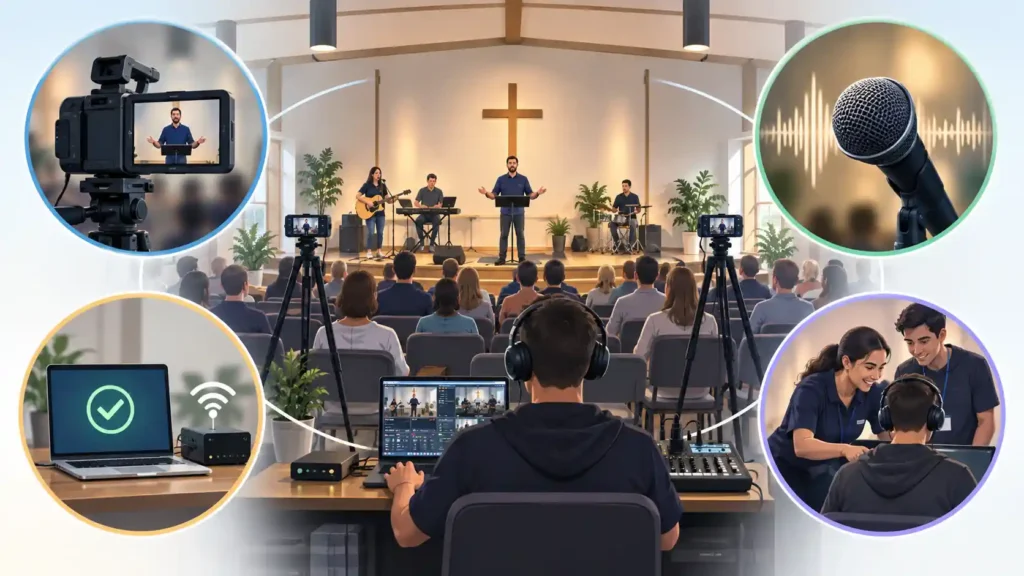
In many churches, livestreaming starts with one question: is our technology good enough? The question is understandable, but it often points in the wrong direction.
The livestream exists for people, not for technology. It serves someone who cannot attend because of illness, someone who lives far away, and someone who has only just become interested in the church and wants to watch remotely first.
A good worship-service livestream does not mean television production. It means something simpler: the livestream helps the viewer take part in the service — in the teaching, the worship, and the congregation’s shared moment. Once this idea is clear, it becomes easier to decide what the system actually needs.
What "Good" Means Here
A good livestream is not the same thing as an impressive-looking livestream. A good livestream meets four basic requirements:
- the picture is stable and shows the right thing
- the audio is clear and pleasant to listen to
- the system works reliably week after week
- volunteers are able to operate it
Everything else can be built on top of these four foundations. If even one of the four is missing, the viewer’s experience suffers — no matter how impressive the rest of the technology is.
Why Technical Spectacle Is Not the Goal
In small-church livestreaming, it is easy to assume that more cameras or more technology means a better result. That is often not the case. A viewer does not judge a livestream by how much equipment was used. They judge it by whether they can see and hear the service well.
Picture: Good Enough, Not Perfect
The picture has three jobs. It has to be stable. It has to show the right thing at the right size. And it has to bring the viewer close enough to the speaker that facial expressions are visible.
In a small church’s basic system, a fixed camera mounted securely in place is generally the safest starting point. A shaky or wobbly picture pulls the viewer’s attention away from the content itself more than most people expect. In later, more developed productions, moving shots can also be used deliberately — but that is not the starting point for a first system.
The right shot size means the speaker appears large enough — not as a distant figure on the far side of the room. If the camera is placed too far away and cannot get close enough, the viewer only sees a small figure on the stage — facial expressions and eye contact disappear, even if the picture is technically sharp.
For this reason, one well-placed and well-framed camera can produce a better experience than two or three cameras that nobody has time to operate well. What matters is not how many cameras there are, but whether the viewer can clearly see the speaker.
Audio: Easy to Underestimate
Audio is easy to underestimate because you cannot see it. The viewer needs both a working picture and working audio — but bad audio quickly makes even a good picture tiring to watch. Speech has to be easy to understand. Worship music has to sound natural, not distorted or too quiet.
In small livestreaming systems, audio often gets less attention than picture, even though its effect on the viewer’s experience is just as large. When the congregation sings together or responds out loud, good audio also gives the person joining online a chance to feel part of the moment. If the volume instead jumps suddenly when worship begins, the viewer may quickly turn down their own device — and lose a moment that was meant to be shared.
Exactly how a church’s sound system is used to produce good audio for the livestream is a topic of its own, covered later. For now, it is enough to know that audio deserves time and attention from the start.
Reliability: Will It Work Next Sunday, and After That?
A small church does not livestream once. It livestreams roughly 40 to 50 times a year, year after year. This changes what a “working system” means.
A system that worked once, in a test, is not yet a reliable system. A reliable system also works when the volunteer is busy, tired, or new to the role.
Consider a situation where the usual operator falls ill on a Sunday morning. Another trained volunteer steps in. Can they start the system and the stream without having to call the key technical person? This question quickly reveals whether a system is actually reliable, not just functional.
Simplicity helps here. Fewer parts means fewer ways something can go wrong.
The Volunteer's Perspective
The system is not built for a technical expert. It is built for an ordinary, trained volunteer. This distinction matters throughout the course.
A good system reduces the number of decisions that have to be made during the livestream. Most decisions — what to film, how the audio is routed, when the picture switches — are made in advance, not live. During the livestream, the volunteer’s job is to watch the situation and act calmly, not to keep inventing solutions.
Is 1080p Enough?
This course’s target picture resolution is 1080p. It is a widely used level of picture quality that works well for streaming online.
A sharper picture than this is often called 4K. A 4K livestream usually does not add enough value for a small church’s viewer to justify building the first system around it. It can be a good choice later, once the foundation is stable and the need is clear.
What a Good Livestream Does Not Require (At Least at First)
A good small-church livestream does not need three or four cameras at the start, nor an expensive switcher. Resolution beyond 1080p is not necessary, and neither are wireless cameras or a professional broadcast crew. The picture also does not need constant movement or fast cutting to work well.
These can be considered later, once the foundation is stable and the church has both the need and the resources for them. They are not bad things — they are things needed later, not first.
What to Remember
- A good livestream helps the viewer take part — it does not try to look like television production.
- Picture, audio, reliability, and ease of use are the foundation everything else is built on.
- Audio deserves at least as much attention as picture — in small systems it easily gets too little.
- A good system reduces the number of decisions made during the livestream, and simplicity is a strength here, not a shortcoming.