
Home / Church Livestreaming / Operator Path
Operator Path · Lesson 8 of 15
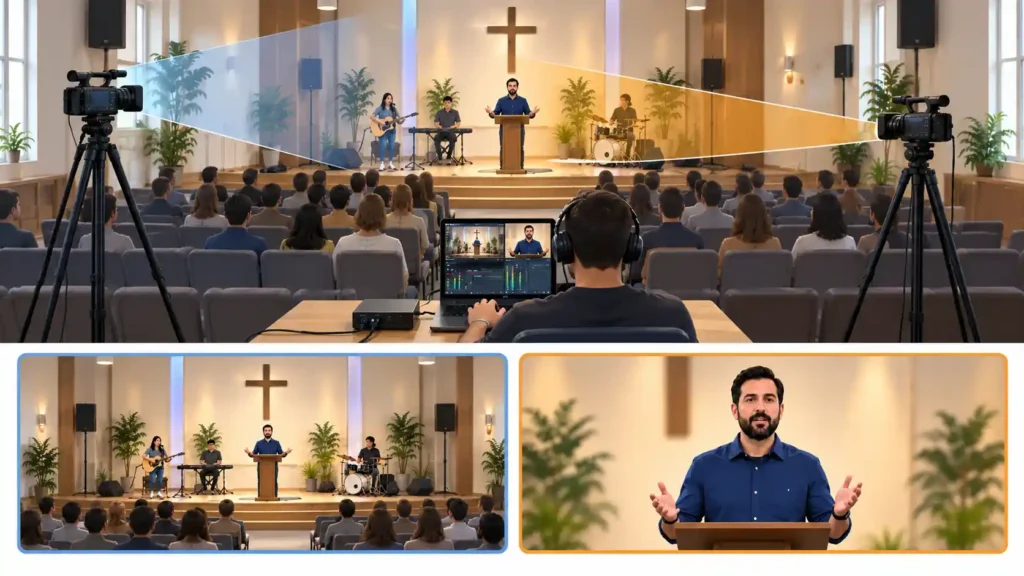
When a church moves from one camera to two, the first thought is often: now we need a second person to run the stream. That doesn’t have to be true. A basic two-camera system is designed so that one trained operator can run a normal stream from start to finish — as long as the preparation is done before the stream, not during it. This article shows how that works in practice.
Preparation moves decisions out of the stream
Directing two camera angles live only becomes difficult once the operator also has to think about how each camera is framed at the same time. That’s why both cameras’ framings are locked in place before the stream begins: camera 1 on a medium shot or medium close-up of the speaker, camera 2 on a wide shot of the stage or the worship team. In OBS, these framings are saved as their own scenes, switched between with a single click — the operator no longer moves a camera or adjusts framing live, they simply choose which finished picture is showing.
This isn’t just a convenient shortcut. It’s the foundation of the whole model: once building the picture has been done in advance, only one question remains at each moment during the stream — switch the picture or don’t. That’s a simple enough decision for one person, even while other things are happening during the stream too, such as following the audio or keeping an eye on the stream’s connection status.
The service program acts as an editing map
The service’s program — which part is speech, which is worship, when one moves into the other — already exists before the stream. It’s worth using as a cutting plan too. When the operator knows in advance that worship starts, say, with the third song, they don’t have to notice that live: they’re already ready to switch to camera 2 at that point. The same applies in the other direction, when speech begins.
Micro-example: On Saturday evening, the operator goes through Sunday’s program and marks three points where the picture will be switched: the start of worship, the start of the sermon, and the start of announcements. On Sunday, they no longer have to think about when to switch — they follow the program and already know it.
As covered in the previous article, speech is cut rarely and worship more frequently — the program tells the operator in advance when that shift happens, so they don’t have to notice it live.
Risk: the cutting becomes too predictable
When the whole rhythm is based on a fixed program, there’s a real risk that the cutting becomes formulaic — the same switch in the same spot every week, with no sense of life to it. A viewer notices this over time, even without being able to say why the stream feels mechanical. Because of this, this course recommends that the operator keep one or two discretionary switching opportunities outside the program — for example, a chance to briefly switch the picture when something unexpected but meaningful happens on stage. The plan stays a framework, not a straitjacket.
When camera 2 fails mid-stream
One of the benefits of the two-camera model is that the second camera also works as a backup shot. If camera 2 stops working, freezes, or shows a garbled picture mid-stream, the right response is simple: switch back to camera 1 and stay there. Camera 1 is the system’s most stable source, and the stream continues seamlessly for the viewer on a single picture, even if the second camera is out of action for the rest of the stream.
Micro-example: Camera 2’s picture suddenly freezes during worship, even though the audio continues normally. The operator immediately switches back to camera 1 and continues the stream on it to the end. The viewer only notices that the picture stays on the speaker a little longer than usual — nothing more dramatic than that.
This is one reason why camera 1’s framing should be kept such that it works on its own for the entire stream, if that’s what’s needed. It isn’t just the speech camera — it’s the whole system’s safety net.
Why this doesn't require a second person present
The whole workflow described in this article — finished framings, an anticipated program, one simple decision at a time — is deliberately designed so that a second operator isn’t a technical requirement for a basic two-camera system. If some part of the implementation would require two people at the same time to run a normal Sunday, that would be a sign of an overly complicated setup, not a justification for needing a second person. Whether it’s still good for a church to have a second person present anyway, for example as a safeguard, is an organizational decision that belongs to a different article (“Avoiding Dependence on One Key Person”).
What to Remember
- Fixed framings and scenes are always built in advance — on the picture side, the only decision made live is “switch or don’t,” not building the picture; audio, the connection, and the service’s progress are still followed the whole time.
- The service program acts as a cutting map: knowing in advance when speech shifts to worship means you don’t have to notice it live.
- The program is used as an anticipation tool, so that variation in cutting rhythm doesn’t require a live judgment call.
- Give yourself one or two discretionary switching opportunities so the cutting doesn’t become formulaic.
- If camera 2 fails, switch back to camera 1 and stay there — it’s designed to work on its own for the entire stream.