
Home / Church Livestreaming / Start Here
Start Here · Lesson 4 of 4
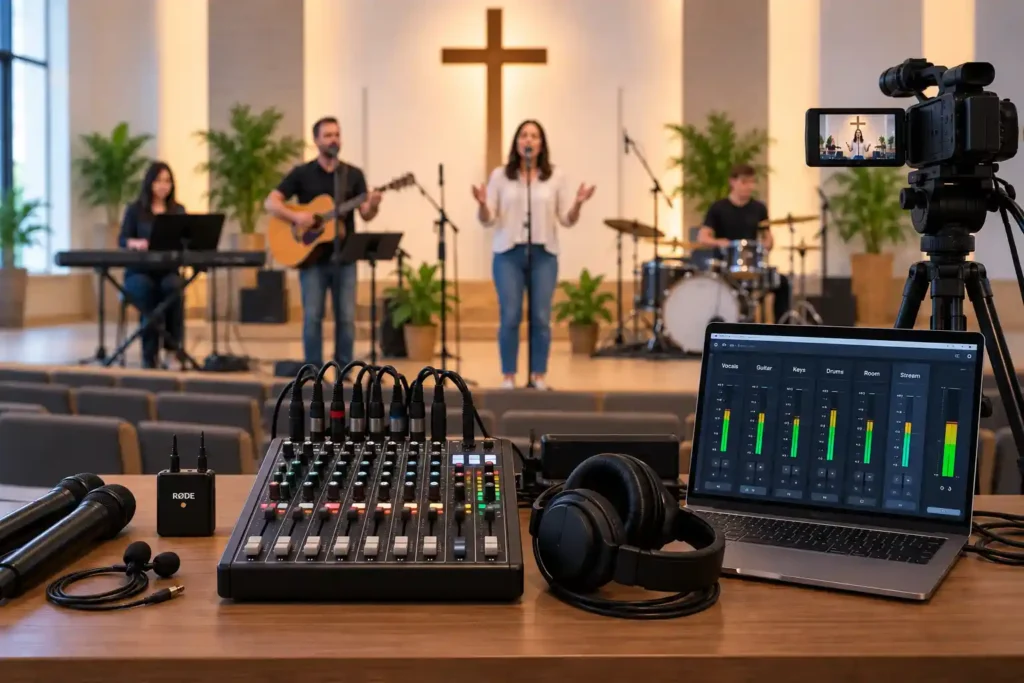
When a church plans its livestreaming system, attention almost always goes to the camera first. That’s understandable: the picture is what you see right away, and the camera is a device you touch with your hands. Audio, on the other hand, is not something you see — and that is exactly why it easily gets less attention, even though it often determines the viewer’s experience more than the picture does.
A Viewer Tolerates a Mediocre Picture, But Not Bad Audio
Consider two situations. In the first, the picture is somewhat grainy or unevenly colored, but the audio is clear: speech is easy to hear, and the music sounds balanced. In the second, the picture is sharp and well lit, but the audio distorts or the speech is buried in noise. Most viewers tolerate the first situation and watch to the end. In the second, many close the stream within a few minutes, no matter how good the picture is.
This does not mean the picture does not matter — it does, and it is worth investing in. But when something has to be prioritized with limited time and money, it helps to know which problem the viewer notices first, and because of which one they actually stop watching.
Audio Easily Becomes an Afterthought to Equipment Purchases
A common pattern in small systems is this: the budget is planned around the camera and the computer, and audio is handled with whatever is left over — often an existing connection on the room’s mixer, without anyone specifically checking whether it works for the livestream as it is. This is not anyone’s deliberate mistake. It is a natural result of audio being harder to judge in advance than picture: you can look at a picture and compare it right away, but audio problems are often only noticed during the first real broadcast, when the worship music starts playing at full volume or the speaker briefly turns away from the microphone.
The Room and the Livestream Need Different Audio — And That Is Nobody's Fault
A church’s sound system is built primarily for the person sitting in the room. That is entirely correct — it is the sound system’s original purpose. But the sound heard in the room and the audio needed for the livestream are not the same thing. In the room, the room’s own echo and character are part of the experience, and the sound reinforcement is tuned to that space’s dimensions. Through a screen or headphones, the same mix can sound hollow, unbalanced, or simply wrong.
It helps to think of this as a starting condition that needs to be deliberately addressed — not a mistake to feel bad about. The same basic mixer output that works fine for the speakers in the room often does not suit the livestream as it is, directly. Knowing this in advance means you can prepare for it before the first broadcast, not after someone has already watched and stopped.
Worship music makes this especially visible. Speech is a relatively steady sound source, but a congregation singing together and a band vary quickly in volume. When the congregation sings together, the quality of the audio determines whether the person joining online can actually take part in the shared singing, or ends up listening to a muddy, distorted playback right when the connection could have been strongest.
What This Means in Practice
This article does not yet go into how audio is actually taken from the mixer to the livestream, or what kind of microphones are worth adding to the room — those are their own topic, covered later, once the technical implementation is addressed in more detail. At this stage, it is enough to understand the principle: audio deserves its own planning, not whatever budget is left over. As with picture, the best result in audio also comes from thinking through the basic levels and settings in advance, so that nothing has to be guessed during the livestream — the volunteer can instead focus on following the situation.
This also has a direct effect on what the system costs. Proper audio handling — the right output from the mixer and the necessary connection to the computer — is typically a small part of the overall budget compared to the camera, but its effect on the viewer’s experience is disproportionately large. It is one of the few points where a relatively small investment produces a clearly noticeable — or in this case, audible — improvement.
What to Remember
- A viewer tolerates a mediocre picture better than bad audio — if one has to give, it should not be audio.
- Audio easily becomes an afterthought to equipment purchases, because its problems are often only noticed during the first real broadcast.
- The room’s sound system is designed for the person in the room — the fact that the livestream needs its own solution is not a mistake, but a starting condition worth recognizing in advance.
- The volume swings of worship music make the importance of audio planning especially visible — good audio can strengthen the sense of a shared moment; bad audio can break it.
- A small additional investment in audio often produces a proportionally larger improvement in the viewer’s experience than the same amount spent on picture.