
Home / Church Livestreaming / Leader Path
Leader Path · Lesson 3 of 6
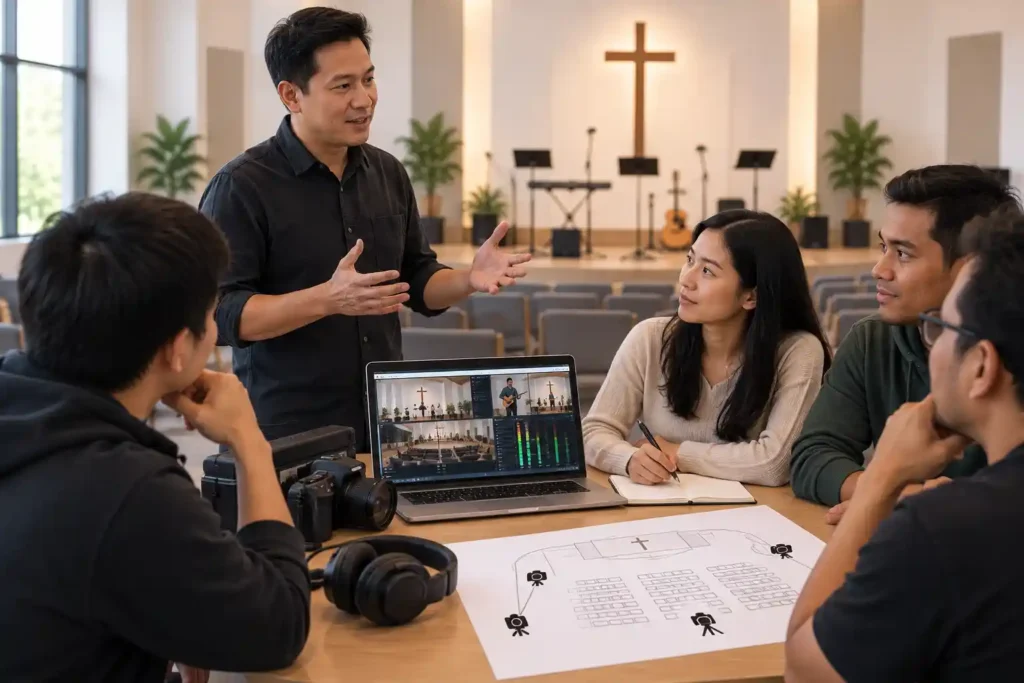
Once a one-camera broadcast starts working reliably week after week, the next question usually comes up on its own: should we get a second camera? The answer is not just a budget question. A second camera changes both how the broadcast looks and what it demands of the volunteers running it. This article covers what a second camera actually brings to the viewer, when a church is ready for it, and the most common way churches expand too early.
What a second camera brings to visual storytelling
A one-camera system shows the viewer a single perspective for the entire broadcast — usually a close-up of the speaker or the worship team. A second camera adds variation to this. It can show the whole stage when that better serves the moment — for example during worship music, when the whole band and the room are part of the experience, not just one singer. Variation in perspective holds the viewer’s interest better over a longer broadcast than a single, unchanging angle.
A second camera also provides a safety net. Consider a situation where the first camera briefly stops working mid-broadcast — the picture freezes or the connection drops for a moment. The operator immediately switches to the other picture while the problem is being resolved, and the viewer at home notices only a brief camera switch, not an interruption in the broadcast. Without a second camera, the same situation would appear to the viewer as a black screen or a frozen picture.
Prerequisite: the first stage must be established
A second camera is not the next step simply because it is a logical progression, or because other churches have done it. It becomes the next step only once three things hold true: the first camera, and the whole workflow around it, is genuinely established (startup runs smoothly without notes, picture and sound are consistently fine, volunteers run the broadcast routinely rather than nervously); there is a real need for a second camera; and the volunteers have the readiness to take on more complexity. In practice, this typically shows up only after several months of reliable use — but what matters is not the calendar time itself, but these three conditions. If they are met sooner, expansion does not need to be delayed artificially until some number of months has passed.
The reason is not caution for its own sake. A second camera adds a new source to monitor and a new decision — when to switch pictures — that has to be made during the broadcast. If the first stage is not yet routine, this new layer is added on top of an unstable foundation, and the volunteer does not have room to focus properly on either one.
Two cameras does not mean two people present
A common and understandable assumption is that a second camera requires a second operator during the broadcast. This course starts from a different position: a two-camera system is designed so that one trained operator can run a normal Sunday broadcast alone. This is achieved through pre-built camera angles and deliberate, not constant, switching — the decision made live is, in practice, only “switch now or not,” not building the picture from scratch.
What is required at the organizational level is a different matter from what a single broadcast requires. This course’s recommendation is that at least two volunteers be trained to use the two-camera system — for continuity, not because both need to be present at the same time. This principle and its technical background are covered in more depth in the next article, which focuses specifically on key-person risk.
The most common mistake: too many changes at once
The most common way an expansion goes wrong is not the wrong camera but the wrong timing — too many new things introduced at once. A church acquires a second camera, a new way of switching pictures, and trains a new volunteer, all at the same time — often because enthusiasm is high once the decision to expand has finally been made.
Consider a church that puts a second camera into use on the same Sunday it first tries a new switching method, with a new volunteer sitting at the controls for the first time. When something goes wrong, no one present can say for certain which of the three new variables was the cause. A safer approach is to add one variable at a time: first the second camera with a familiar workflow, and only once that is routine, the next change.
What to Remember
- A second camera brings the viewer variation (for example, a wide shot during worship) and a safety net in case of a technical failure.
- Expansion pays off only once three conditions are met: the workflow is established, the need is real, and the team is ready — not once a certain number of months has passed.
- A two-camera system is designed to be run by one trained operator — two cameras does not mean two people present every Sunday.
- At the organizational level, at least two people should be trained, but this is about continuity, not staffing a single broadcast.
- The most common mistake is adding too many new variables at once — one change at a time is the safer way to expand.